One calendar

Every booking, in one calendar

Rooms and dorm beds, lessons and tours, boards and bikes: every booking appears in one calendar, wherever it was made. Bookings from your own website, from booking sites and from your team sit side by side, so you never check three screens to see who is coming.

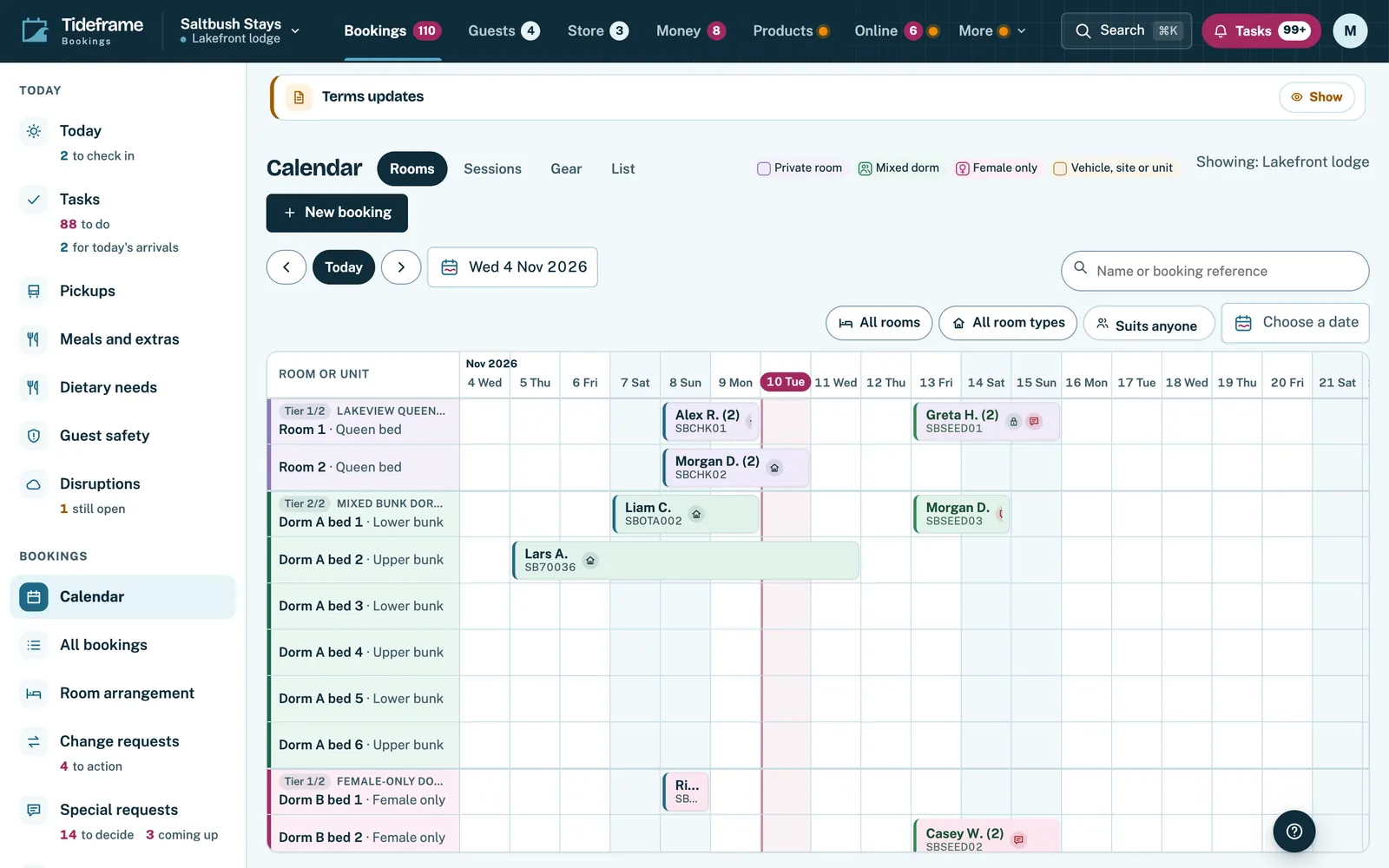
Tideframe Bookings calendar showing rooms and dorm beds by day, with guest bookings placed across their nights.

See it in the product

  1. Rooms and beds, night by night

    Each room and dorm bed by day, with every booking placed across its nights.

    Tideframe Bookings calendar showing rooms and dorm beds by day, with guest bookings placed across their nights.
    The calendar, with rooms, dorm beds and bookings on one page. Real product screen, shown with an example business and example data.
  2. Lessons and tours beside them

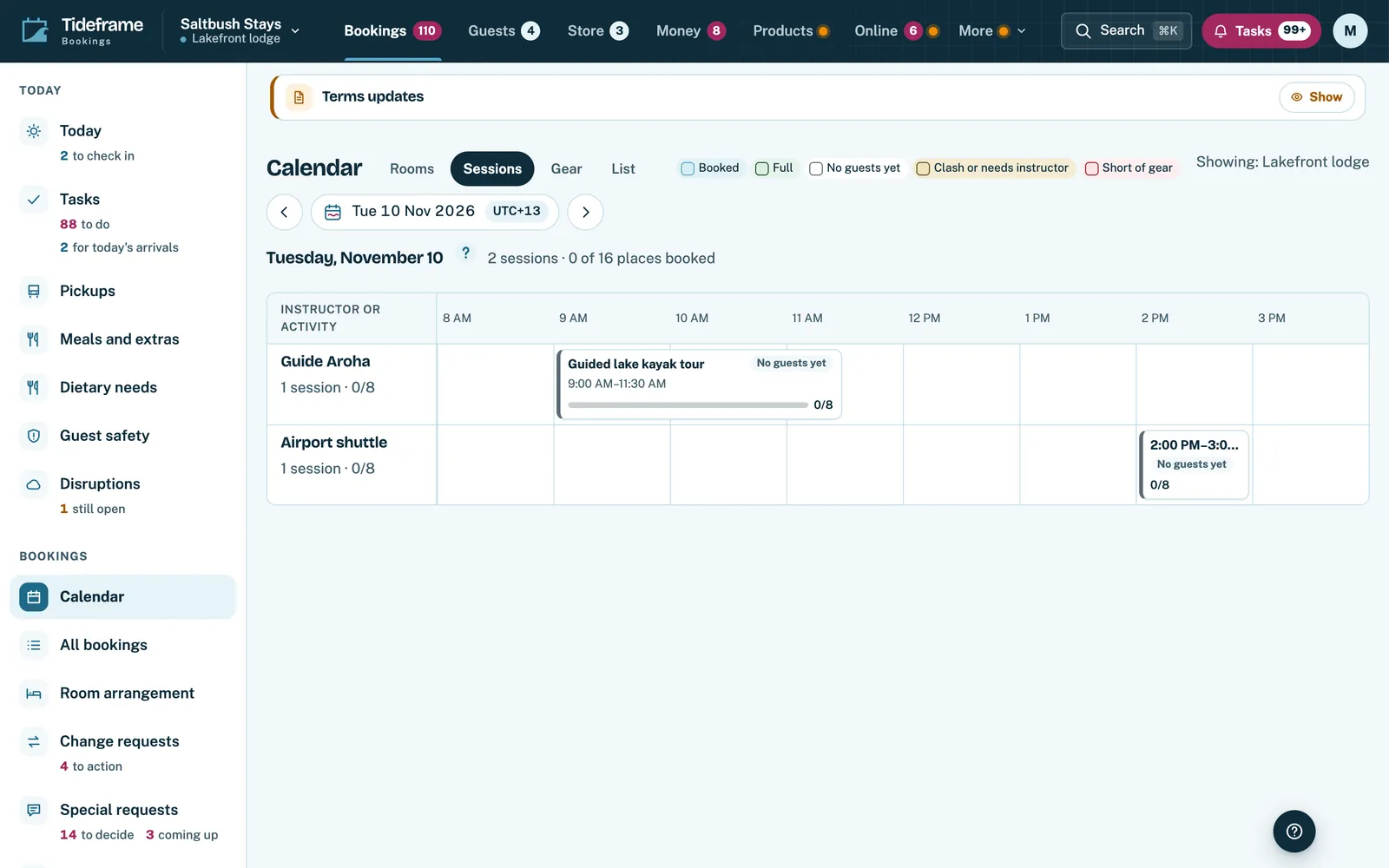
    Sessions show the places booked on each one, and which still need an instructor.

    Sessions calendar in Tideframe Bookings showing lessons and tours with places taken.
    Sessions: lessons and tours with the places taken on each. Real product screen, shown with an example business and example data.
  3. The gear each session needs

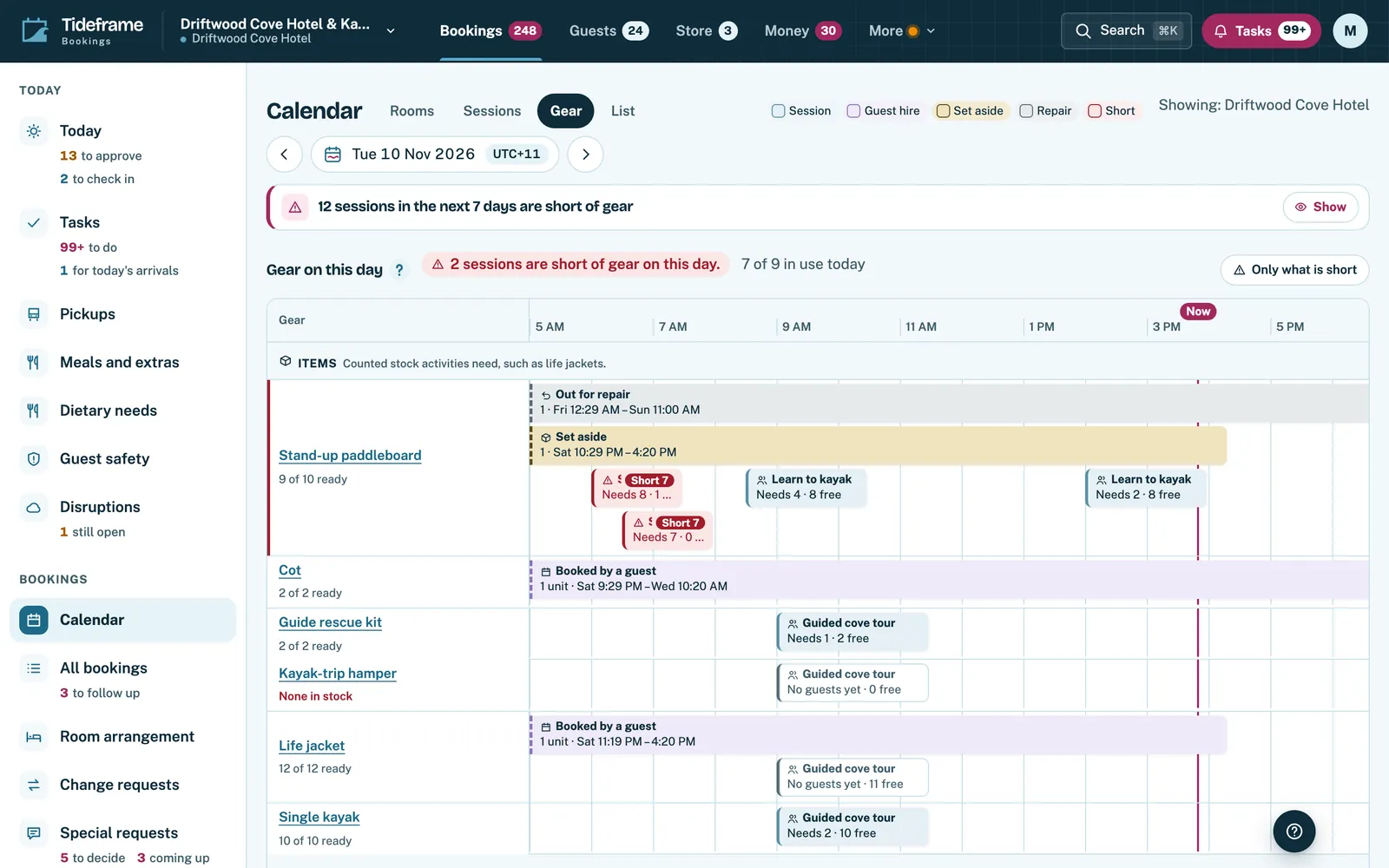
    Boards, bikes and other gear by session, so the right kit is ready before the guests arrive.

    The calendar's Gear view, listing each piece of gear against the sessions that need it.
    The Gear view: what each session needs. Real product screen, shown with an example business and example data.
  4. The same bookings as a list

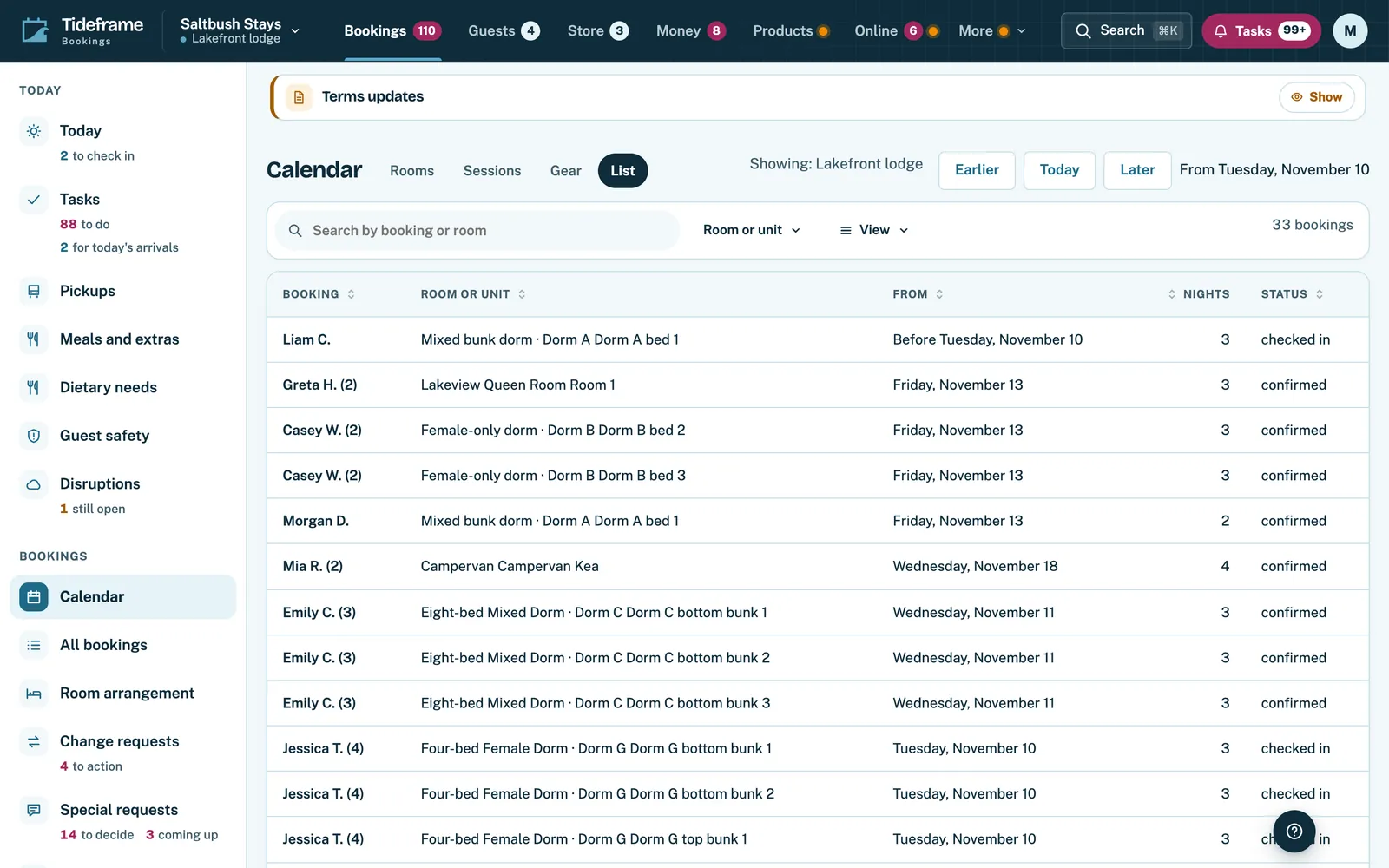
    Every booking in a table you can search and filter, when a grid is not what you need.

    The calendar's List view, showing bookings as a table with dates, guests and status.
    The List view: the same bookings as a table. Real product screen, shown with an example business and example data.
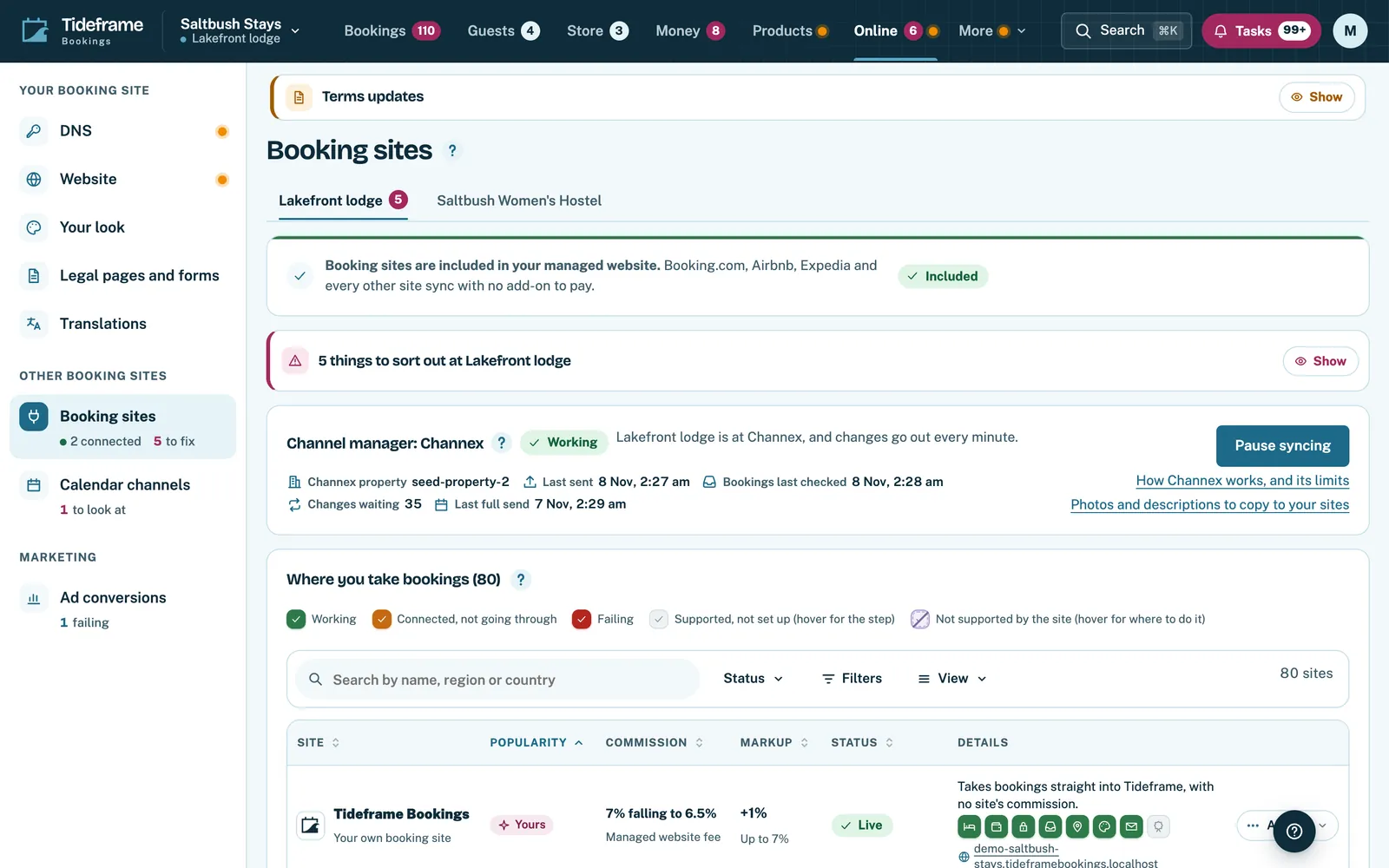
  5. Booking sites in the same place

    Each connected booking site with its status, so their bookings land in the calendar beside your own.

    The booking sites page in the back office, listing each connected booking site with its commission and status.
    Booking sites: each connected site, its commission and its status. Real product screen, shown with an example business and example data.
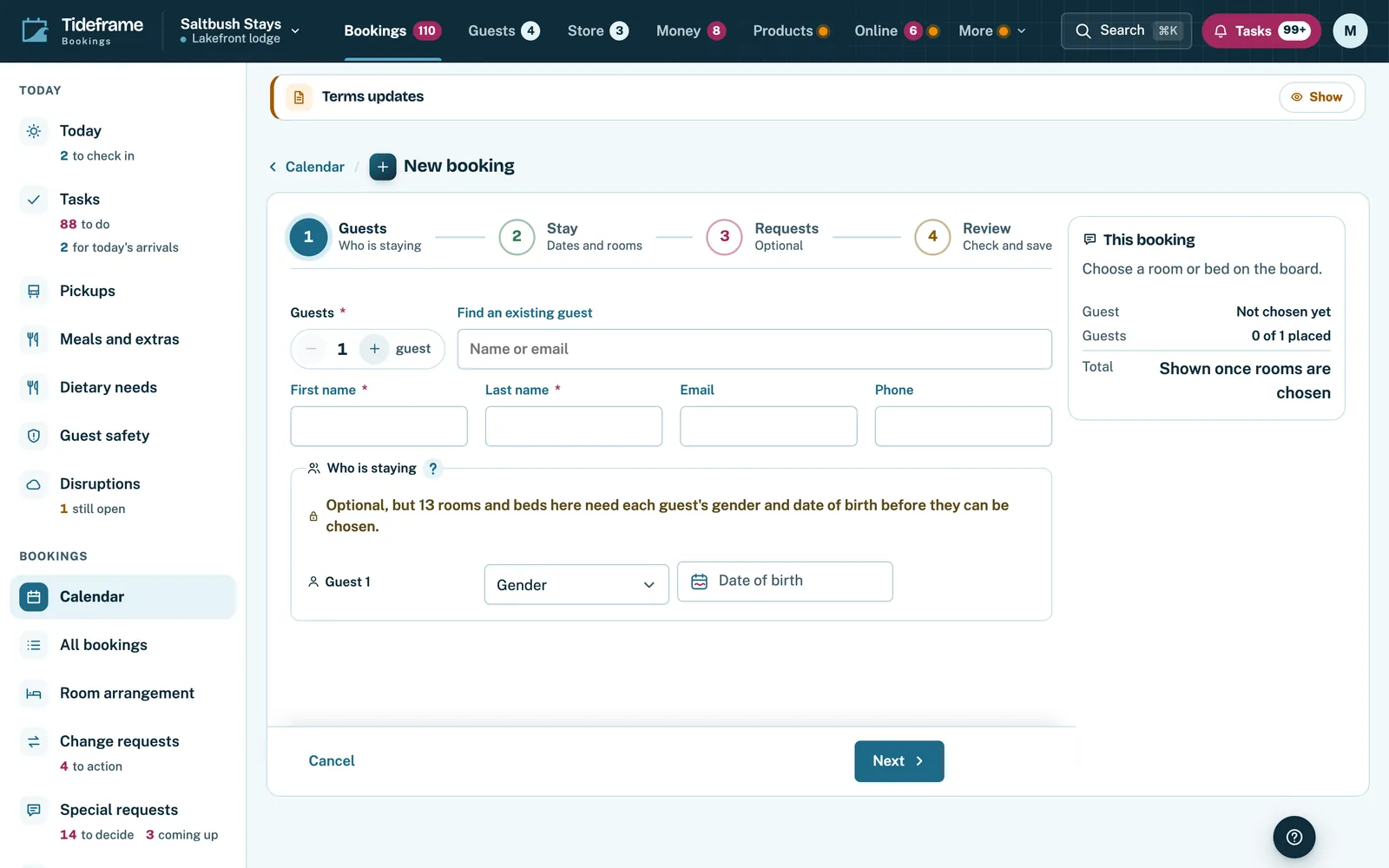
  6. Bookings your team makes

    A booking for a phone call or someone at the desk, made from the calendar with your usual prices.

    The new booking page in the back office, where staff choose a stay, its dates and guests to make a booking by hand.
    A booking made by your team, from the calendar. Real product screen, shown with an example business and example data.
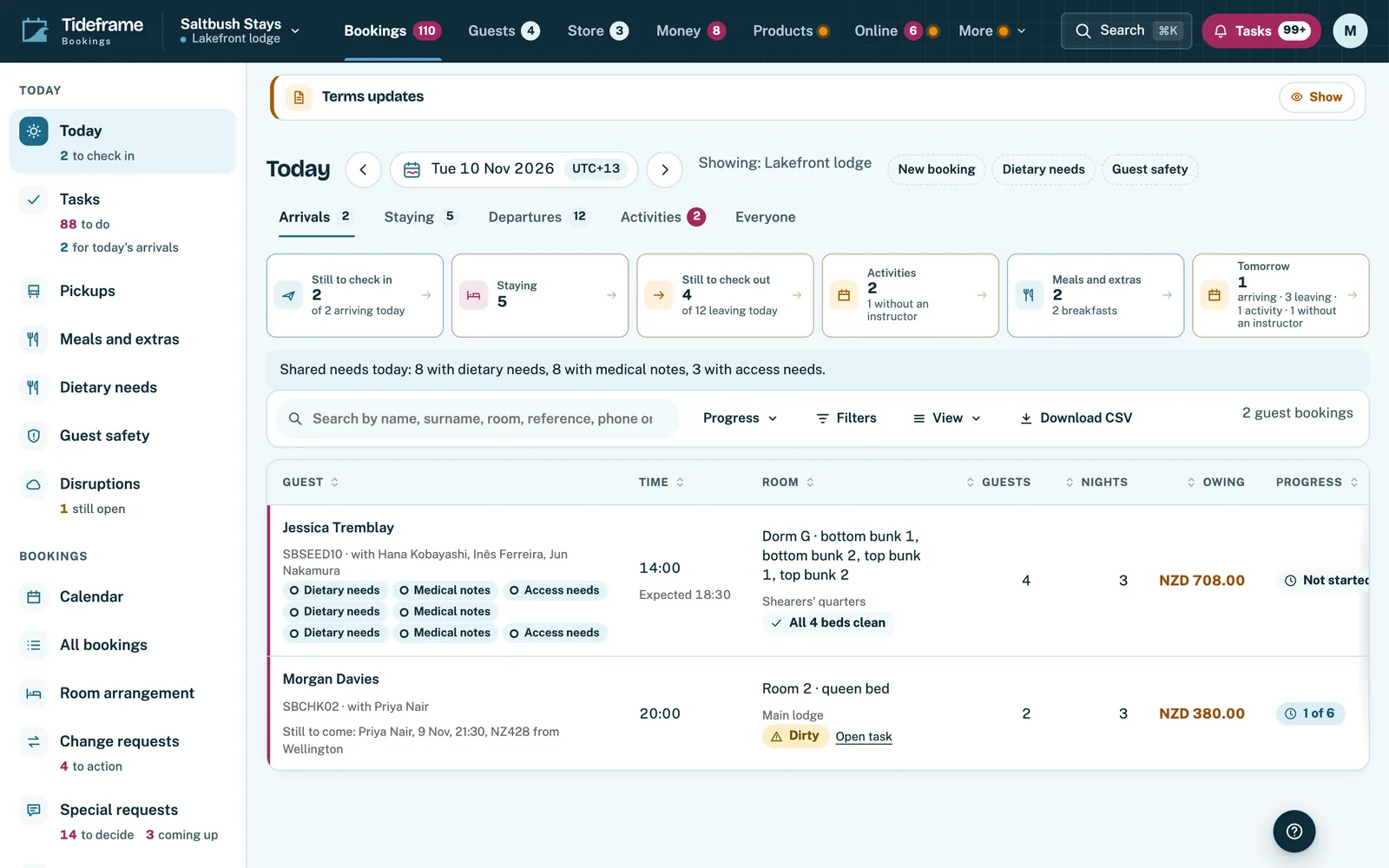
  7. And a page for today

    Who is arriving, what they owe, where they are sleeping and how far check-in has got.

    Tideframe Bookings Today page listing arrivals with room, nights, amount owing and check-in progress.
    Today: who is arriving, what they owe and how far check-in has got. Real product screen, shown with an example business and example data.

One calendar, four ways to look at it

  • Rooms shows each room and bed by day, with every booking placed across its nights.
  • Sessions shows the lessons and tours on each day, with the places taken and the instructor on each.
  • Gear shows what each session needs, and List shows the same bookings as a table you can search.

What your team gets

  • Bookings from booking sites arrive in the same calendar as your own, and your availability goes back out to them.
  • Your team makes a booking by hand from the calendar, for a phone call or someone at the desk.
  • Today starts the day with who is arriving, what they owe and where they are sleeping.

How it works

  1. Add your rooms and sessions

    Each room, bed, pitch and session becomes a row in the calendar.

  2. Connect your booking sites

    Bookings from them arrive in the calendar, and what is free goes back out to them.

  3. Run the day from it

    Move bookings, add one by hand, and see the day's arrivals and sessions at a glance.

One calendar: questions

Do bookings from booking sites appear in the same calendar?

Yes. Connected booking sites send their bookings into the calendar, and your availability is sent back out to them, so a room sold in one place closes everywhere.

Can I see lessons and tours beside the rooms?

Yes. Switch between Rooms, Sessions, Gear and List. They are views of the same bookings.

Can my team add a booking by hand?

Yes. Staff can make a booking from the calendar for a phone call or a walk-in, with the same prices and rules as your website.

Who can move bookings?

Your staff roles decide who can see the calendar and who can move a booking. Where your rules ask for approval, a move waits for it.

The stay and the activity in one booking.

Rooms, beds, sessions and gear in one calendar, with bookings from your website, booking sites and your team side by side.