Deposit or in full

A deposit or the full amount, and a private link for the rest

You decide how each product is paid for: in full, a deposit with the balance later, instalments, a card guarantee or pay on arrival. Guests choose from the options you allow. After they book, a private link lets them see the booking, pay what is left and ask for a change, without an account or a password.

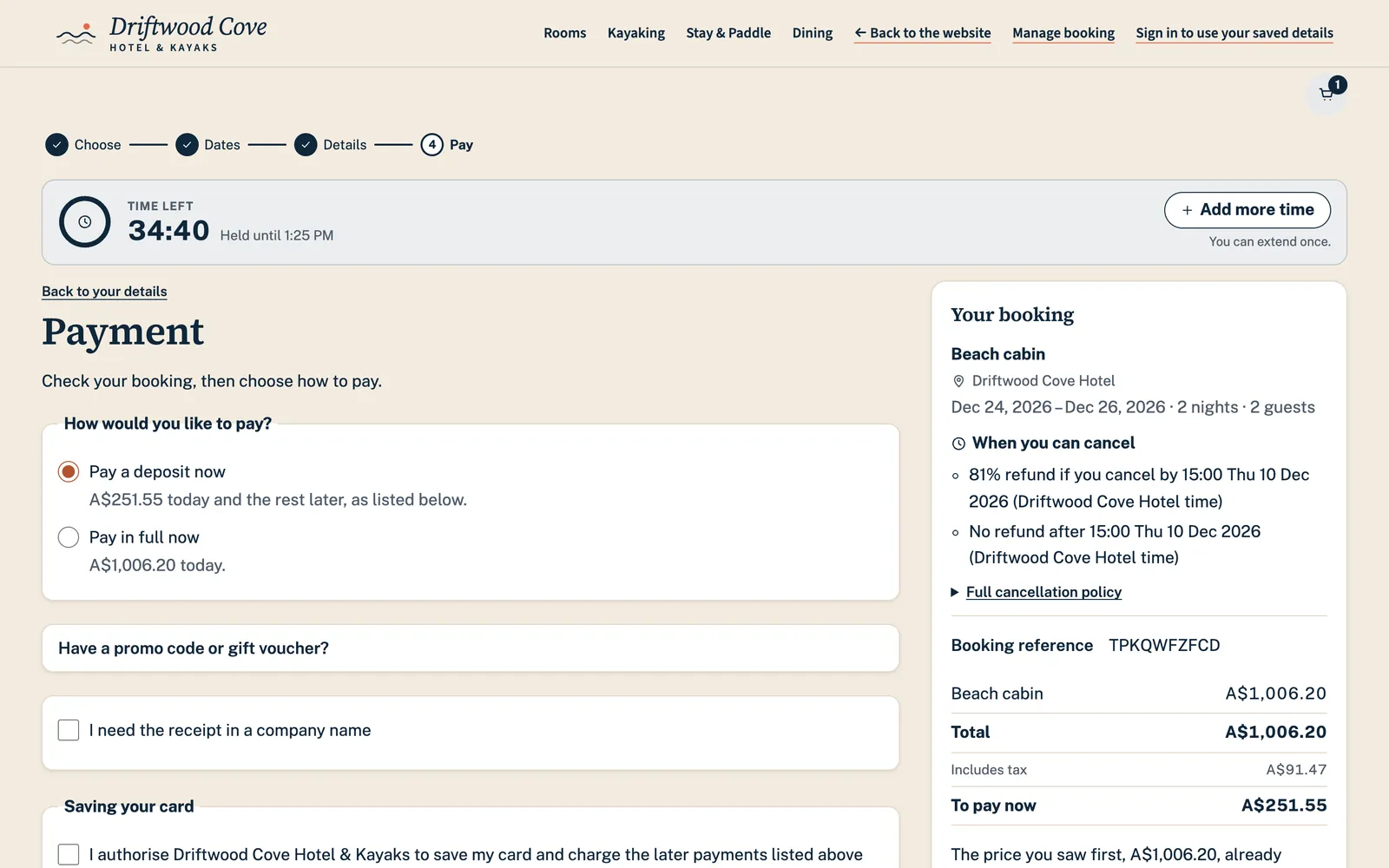
The payment step of a guest booking site, asking how the guest would like to pay: a deposit now or the full amount, each with what is due today, beside the booking and its cancellation terms.
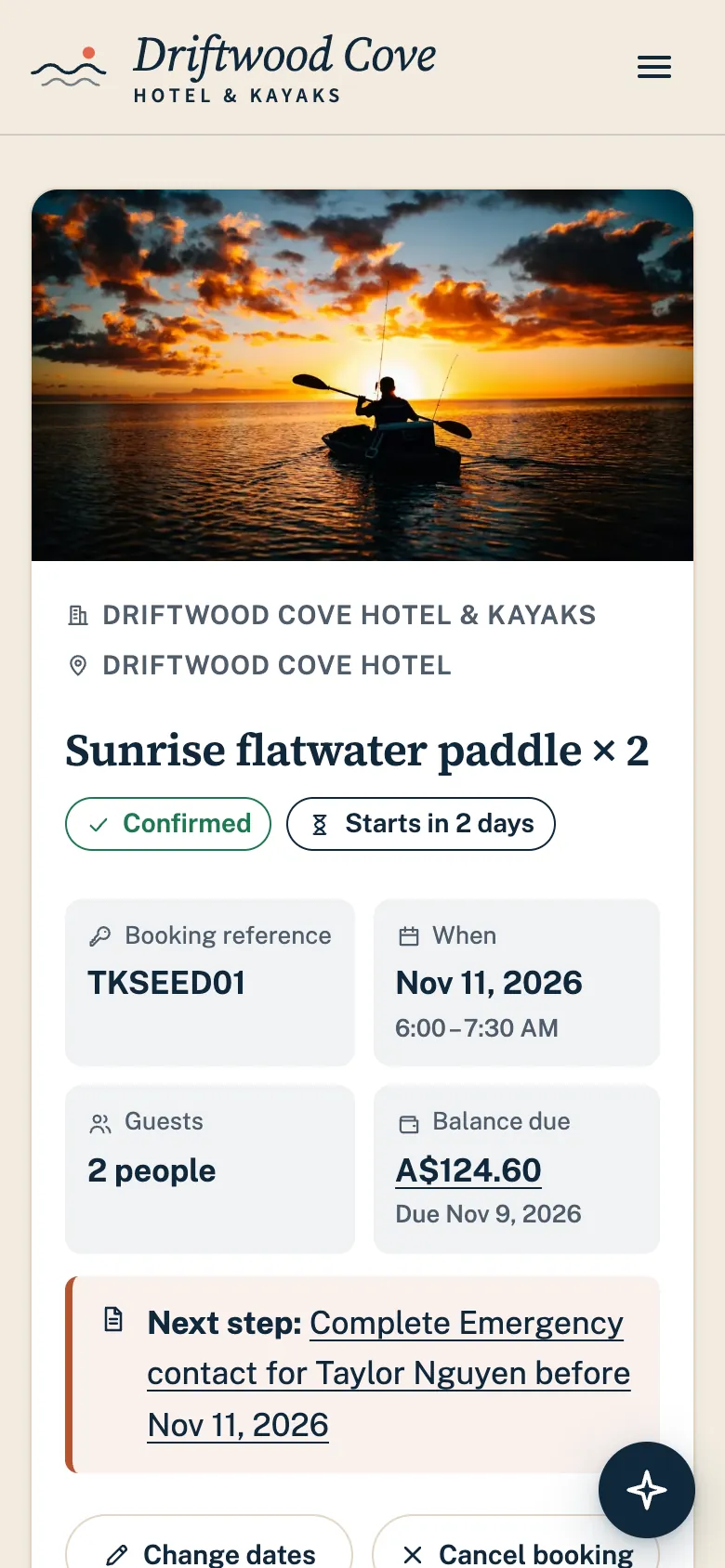
Guest portal in Tideframe Bookings on a phone, for a Driftwood Cove booking.

See it in the product

  1. Guests choose how to pay

    Checkout shows each way to pay that you allow, and what each one costs today.

    The payment step of a guest booking site, asking how the guest would like to pay: a deposit now or the full amount, each with what is due today, beside the booking and its cancellation terms.
    Deposit or in full: the guest chooses, and sees what each one costs today. Real product screen, shown with an example business and example data.
  2. You set the rules once

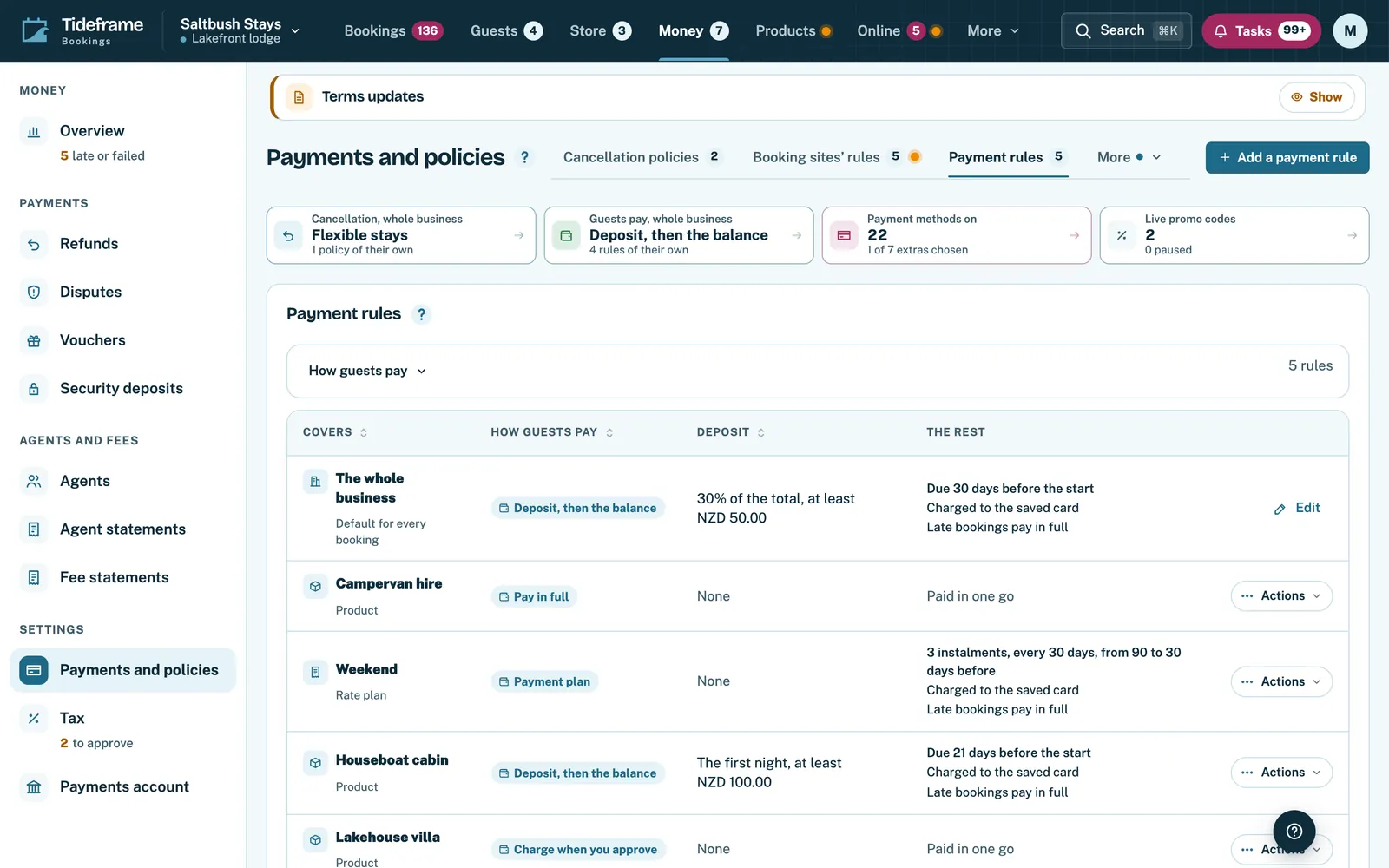
    Each payment rule says how guests pay, the deposit and when the balance is due, product by product.

    Payment rules in the back office, one row per rule with how guests pay, the deposit and when the balance is due.
    Payment rules: how guests pay, the deposit and when the balance is due. Real product screen, shown with an example business and example data.
  3. Every guest gets a private link

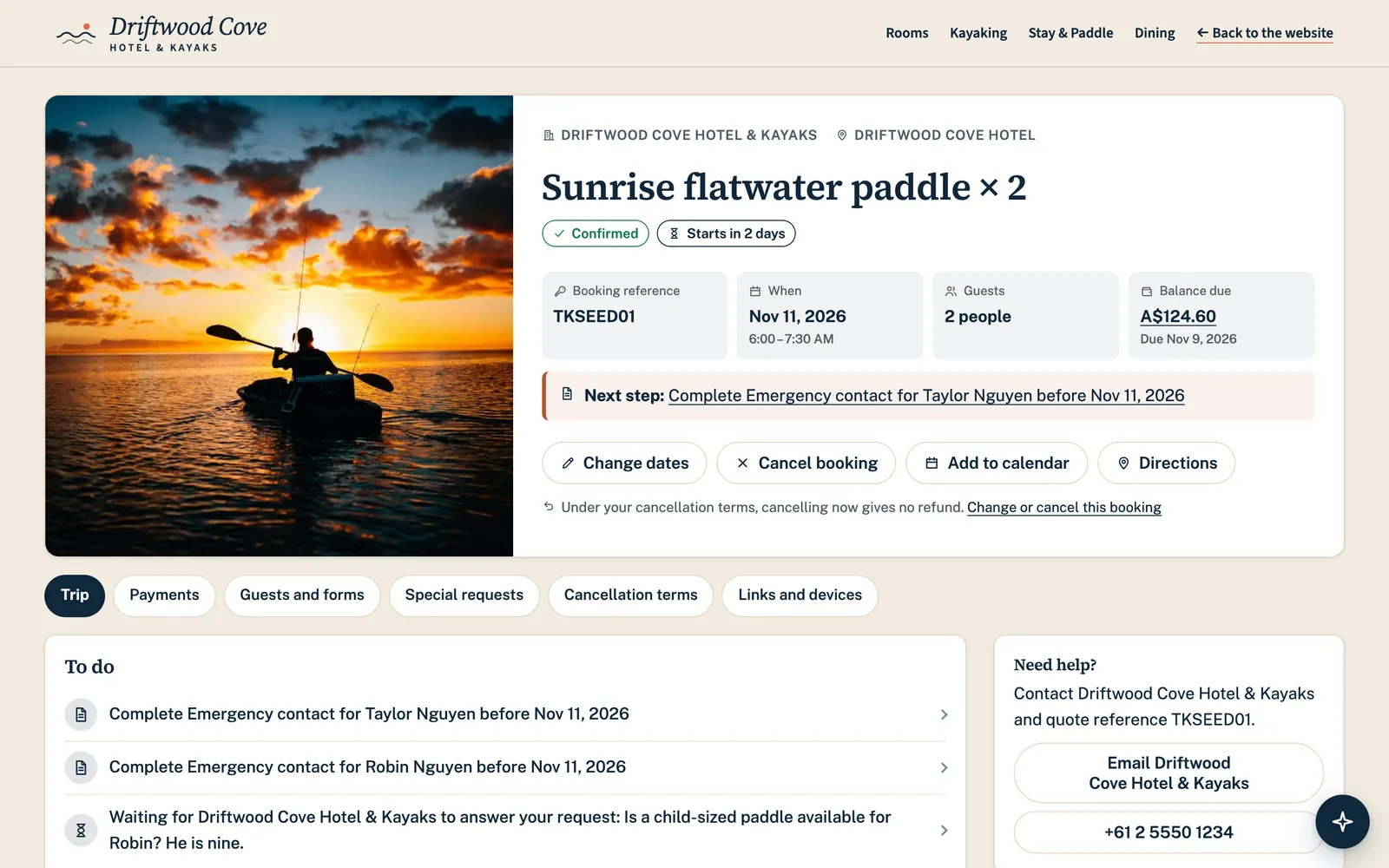
    The link opens their booking: dates, guests, what is paid and what is next, with no account to make.

    Guest portal in Tideframe Bookings for a Driftwood Cove booking: a kayak session the hotel called off because of the swell, what happens next, and the guest forms still to fill in.
    The private link each guest gets once they have booked. Real product screen, shown with an example business and example data.
  4. And see their payments there

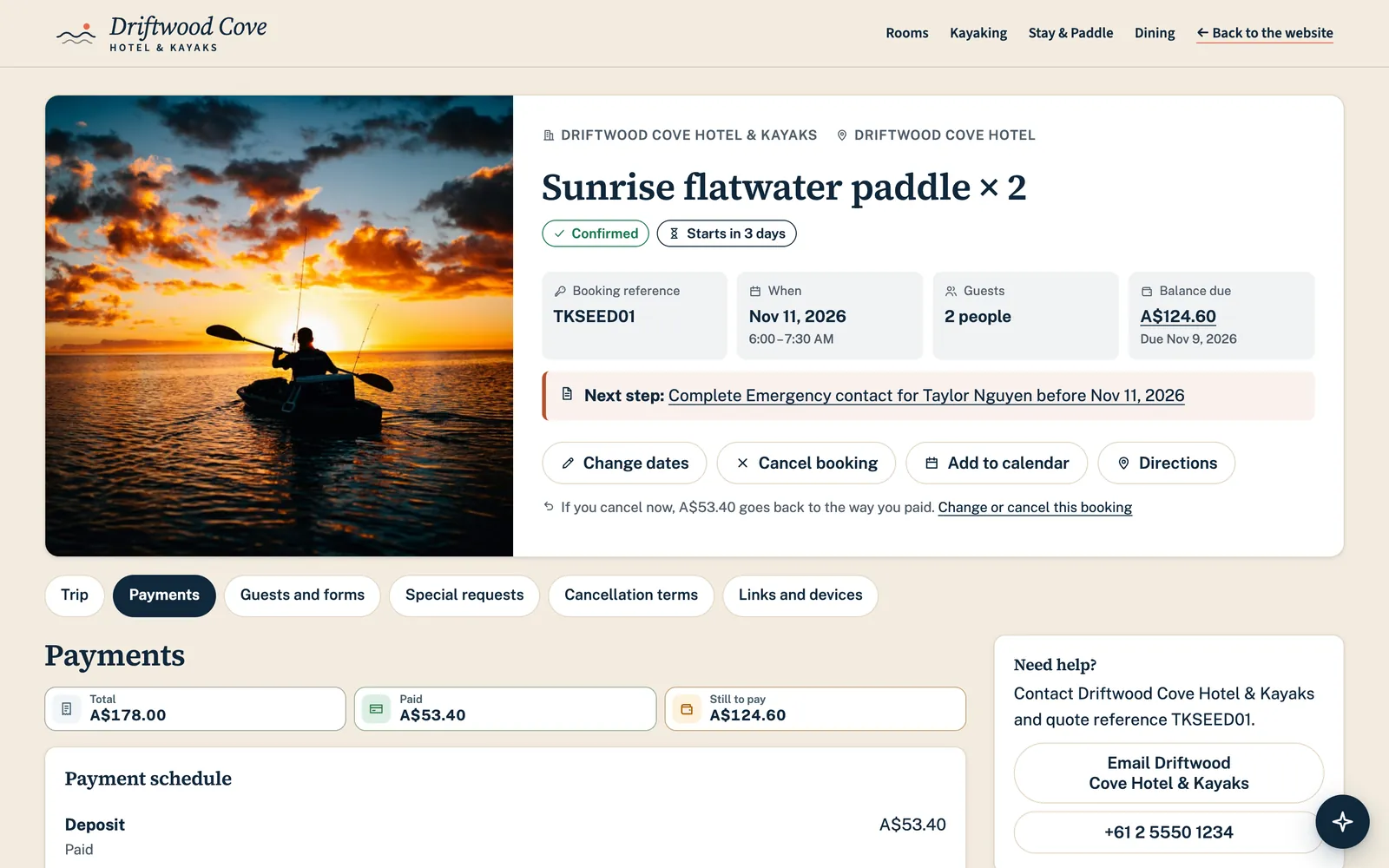
    The payment schedule, what is already paid, and the card kept for the payments still to come.

    The payments page of a guest's private booking link: the payment schedule with the deposit paid, and the card kept for the payments still to come.
    The guest's private link: what is paid, and the card kept for what is still to come. Real product screen, shown with an example business and example data.
  5. And ask for a change

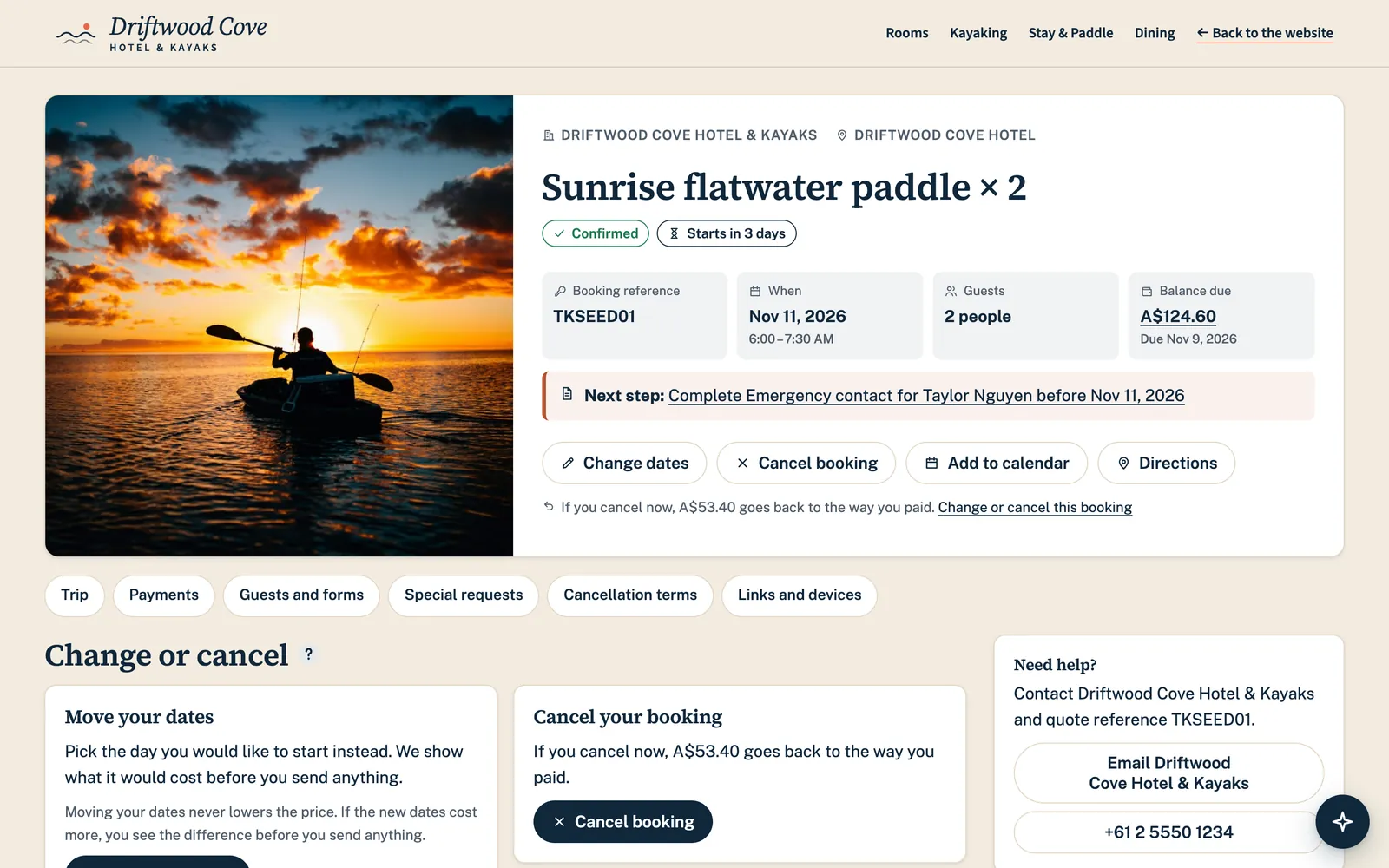
    Guests ask to move their dates or cancel, and see what your rules allow before they send it.

    The changes page of a guest's private booking link, where the guest can ask to move dates or cancel and sees what the business's rules allow.
    The guest asks for a change, and sees what your rules allow first. Real product screen, shown with an example business and example data.
  6. You see every balance to come

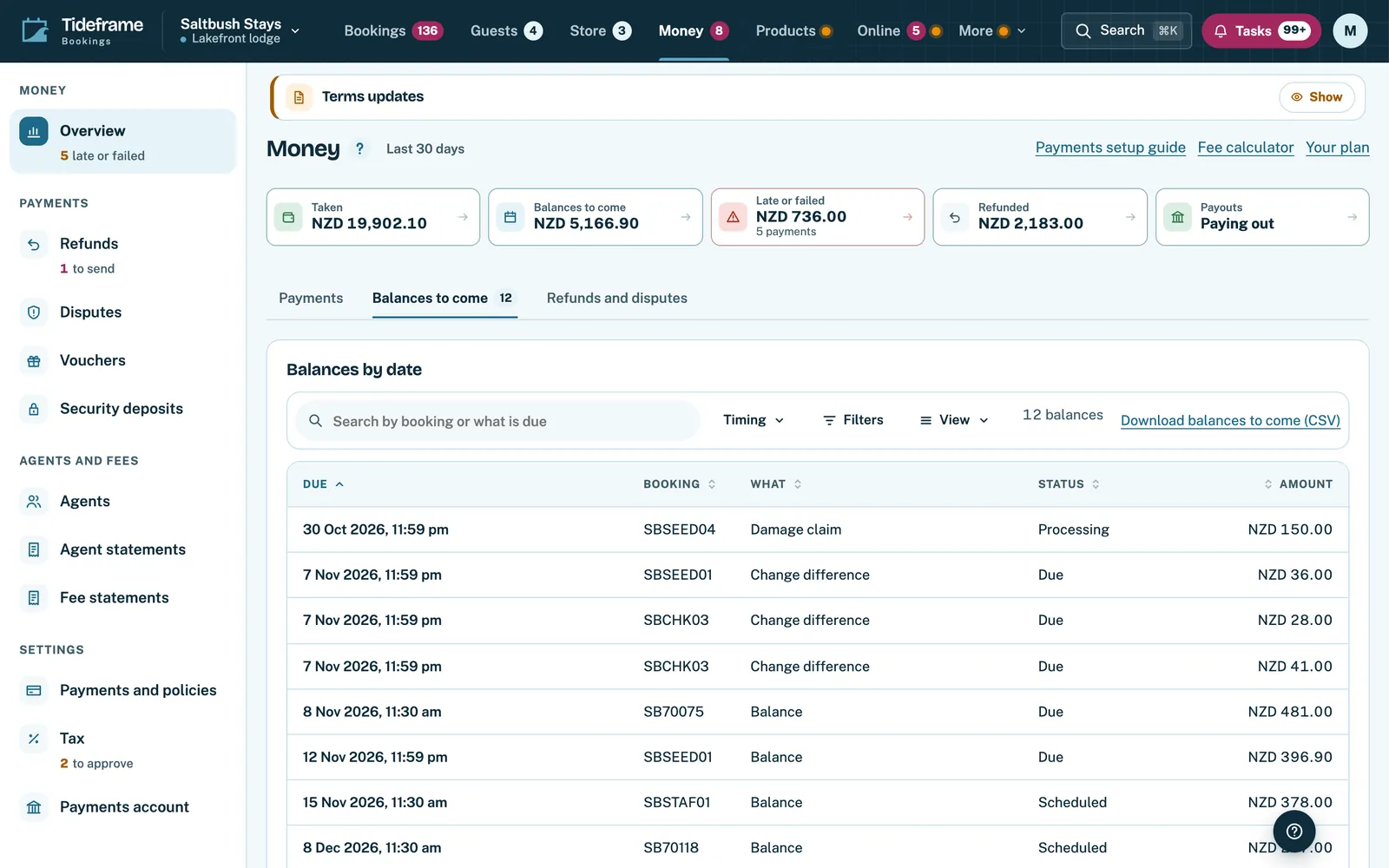
    Balances due across your bookings, with the late ones marked, so nothing is chased by memory.

    The Money page in the back office on its Balances to come tab: figures for what has been taken, what is to come and what is late, over a list of balances with their due dates.
    Balances to come across every booking, with what is late counted on its own. Real product screen, shown with an example business and example data.
  7. And the money, without a spreadsheet

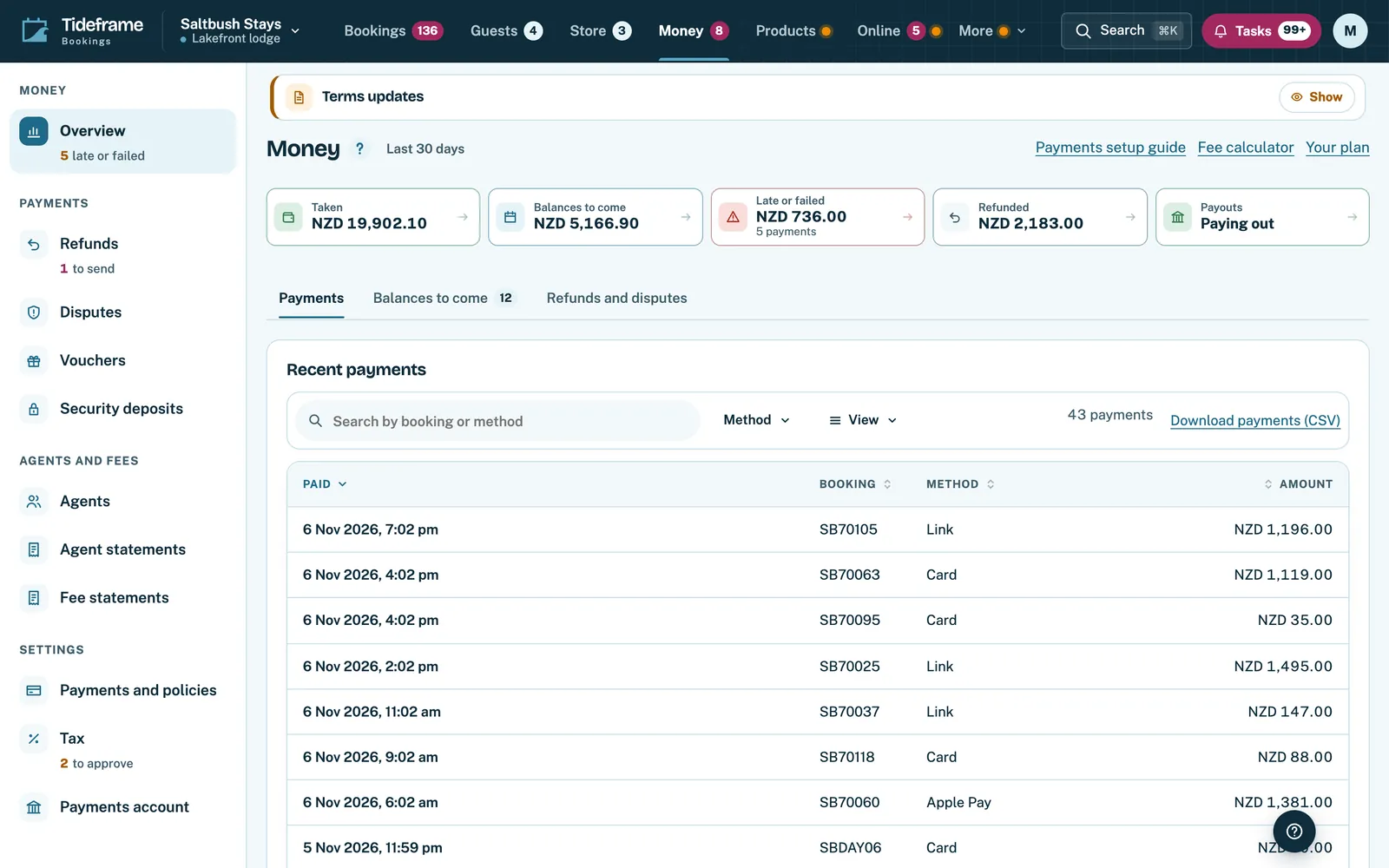
    Payments taken, balances to come, late payments and refunds, all from your bookings.

    Money overview in Tideframe Bookings showing payments taken, balances to come and recent payments.
    Money: payments taken, balances to come and refunds in one place. Real product screen, shown with an example business and example data.

What your guests do

  • At checkout they see each way to pay that you allow, with what is due today and what comes later, before they enter a card.
  • From their private link they see every payment still to come, pay one early, update the card on file and download receipts.
  • They can ask to move their dates or cancel from the same link. Your rules decide what is allowed and what it costs, and the guest sees that before sending.

What your team gets

  • Payment rules say which products take a deposit, how much it is and when the balance is due, so nobody works it out booking by booking.
  • Balances are charged on schedule to the card on file, and a failed charge appears where your team will see it.
  • Money shows payments taken, balances to come, late payments and refunds, all from your bookings.

How it works

  1. Set your payment rules

    Choose full payment, a deposit, instalments, a card guarantee or pay on arrival, product by product.

  2. Guests choose at checkout

    They see what is due now and the rest of the schedule, and pay with a card.

  3. The rest takes care of itself

    Balances are collected when due, and guests manage everything from their private link.

Deposit or in full: questions

Can I take a deposit on some products and full payment on others?

Yes. Payment rules are set per product, so a lesson can be paid in full while a week's stay takes a deposit.

How is the balance collected?

It is charged on its due date to the card the guest gave when they booked. The guest can also pay it early from their private link.

Does a guest need an account to manage their booking?

No. Each booking comes with a private link. Guests open it to see the booking, pay, update their card or ask for a change.

Can a guest change their dates themselves?

They can ask from their private link. Your rules decide what is allowed and any fee, and the request reaches your team to approve where your rules say so.

The stay and the activity in one booking.

Let guests pay a deposit, the full amount or in instalments. Balances are collected on schedule, and each guest gets a private link to pay what is left or ask for a change.